
How to Create a Family Media Plan That Works!

Let’s face it—technology is everywhere, and managing screen time has become one of the most common (and exhausting) conversations in modern parenting. But here’s the good news: creating a family media plan doesn’t have to feel like a battle. With a little structure and open communication, you can build a plan that supports healthy habits and keeps everyone in your home on the same page.

Here’s how to create a family media plan that actually works for your unique household.

What Is a Family Media Plan?

A family media plan is a shared set of guidelines that helps families manage how, when, and why media is used at home. It covers screen time, device use, content choices, and how tech fits into your family’s values.

Think of it as your household’s “tech mission statement” – designed to promote balance, protect mental health, and build trust between parents and kids.

Step 1: Involve the Whole Family

Before setting rules, include your kids in the conversation. Ask questions like:

  • What do you love doing online?
  • What shows or games make you feel good—or not so good?
  • How does screen time affect your sleep, school, or mood?

This opens the door to honest conversations and gives kids ownership in the plan, making them more likely to respect it.

Step 2: Set Clear (and Age-Appropriate) Limits

Every family is different, but here are some starting points to consider:

  • Preschoolers (ages 2–5): 1 hour per day of high-quality content.
  • Kids 6–12: Prioritize balance with homework, sleep, and play.
  • Teens: Encourage screen self-awareness and time boundaries.

💡 Pro Tip: Don’t just say “1 hour of screen time.” Be specific:
“30 minutes of games after homework, 30 minutes of YouTube before dinner.”

Step 3: Define Screen-Free Zones and Times

Boundaries work best when they’re simple and consistent. Try these:

  • 📵 No phones at the dinner table.
  • 😴 No screens 1 hour before bed.
  • 🚗 No personal devices in the car (unless it’s a road trip).
  • 🛋️ Family movie nights = no second screens.

Create tech-free zones in bedrooms, bathrooms, and family meals to encourage connection and reduce overuse.

Step 4: Focus on Quality, Not Just Quantity

Not all media is created equal. Help your kids:

  • Choose educational and enriching content.
  • Watch shows or play games that align with your family’s values.
  • Avoid content with heavy advertising, violence, or negative messaging.

Use resources like Common Sense Media to check ratings and reviews before watching something new.

Step 5: Keep the Conversation Going

A media plan isn’t “set it and forget it.” As your kids grow, their interests—and responsibilities—change too. Set aside time every few months to revisit the plan and adjust together.

Ask:

  • Is this plan still working for us?
  • What’s changed in your school, friendships, or schedule?
  • Are there new apps, games, or shows we should talk about?
Free Tools to Help You Get Started
  • American Academy of Pediatrics Media Plan Tool
  • Printable Media Contract for Kids & Teens
  • App/Screen Time Trackers like Apple Screen Time or Google Family Link
Sample Family Media Plan Rules

Here’s an example you can edit:

RuleWho It Applies ToNotes
No devices during mealsEveryoneEncourages family conversation
Screen time ends at 8 PMKids under 12To protect sleep hygiene
1 hour of screen time on school daysAll kidsHomework must be done first
Movies must be approvedKidsUse reviews or previews first
Unlimited educational gamesAllMust still include outdoor time
Final Thoughts

The goal of a family media plan isn’t to be overly strict—it’s to create a healthy, thoughtful relationship with technology. By setting expectations and checking in regularly, you can help your kids grow into mindful digital citizens and keep your household running a little smoother.

What Works for You?

Have you tried a media plan in your home? What rules or ideas helped your family the most? Share your thoughts in the comments—we’d love to hear your tips!
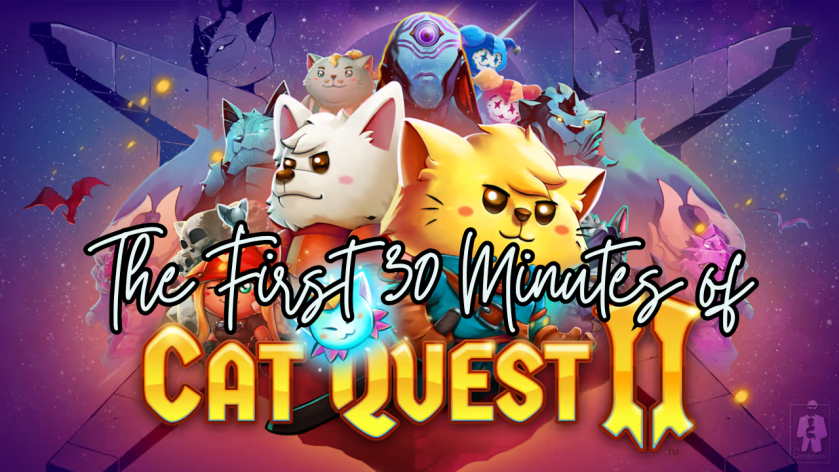
The First 30 Minutes of Cat Quest II

Have you ever been undecided on what to play next? 

Should you buy that game? Should you install that game?

I’ve been there, and sometimes you just need to take a look at the graphics, hear the music, and learn a little about the plot to see if it resonates with you before taking the next step. I’m here to help! I am creating the first 30 to the first 60 minute videos of games; indie and mainstream, new and old!

This week let’s take a look at the first 30 minutes of Cat Quest II…

Do you want to play the rest? 

The First 30 Minutes of Cat Quest

Have you ever been undecided on what to play next? 

Should you buy that game? Should you install that game?

I’ve been there, and sometimes you just need to take a look at the graphics, hear the music, and learn a little about the plot to see if it resonates with you before taking the next step. I’m here to help! I am creating the first 30 to the first 60 minute videos of games; indie and mainstream, new and old!

This week let’s take a look at the first 30 minutes of Cat Quest…

Do you want to play the rest? 

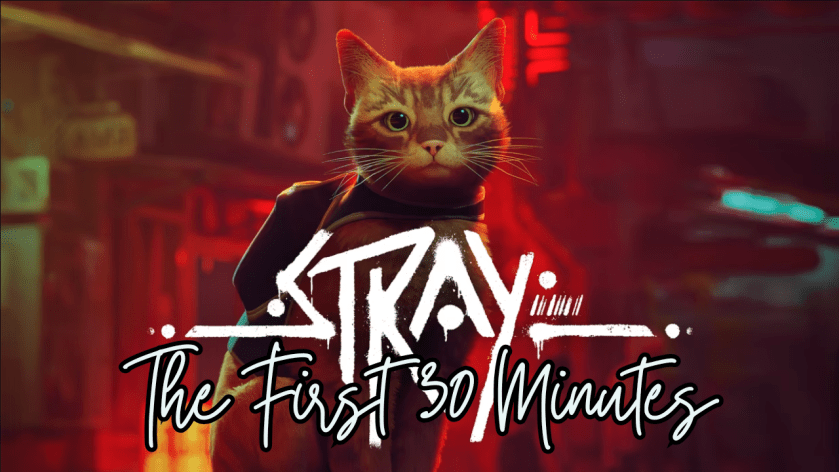
The First 30 Minutes of Stray

Have you ever been undecided on what to play next? 

Should you buy that game? Should you install that game?

I’ve been there, and sometimes you just need to take a look at the graphics, hear the music, and learn a little about the plot to see if it resonates with you before taking the next step. I’m here to help! I am creating the first 30 to the first 60 minute videos of games; indie and mainstream, new and old!

This week let’s take a look at the first 30 minutes of Stray…

Do you want to play the rest? 

The First 60 Minutes of Hello Kitty Island Adventure

Have you ever been undecided on what to play next? 

Should you buy that game? Should you install that game?

I’ve been there, and sometimes you just need to take a look at the graphics, hear the music, and learn a little about the plot to see if it resonates with you before taking the next step. I’m here to help! I am creating the first 30 to the first 60 minute videos of games; indie and mainstream, new and old!

This week let’s take a look at the first 60 minutes of Hello Kitty Island Adventure…

Do you want to play the rest? 

The First 30 Minutes of LEGO Horizon Adventures

Have you ever been undecided on what to play next? 

Should you buy that game? Should you install that game?

I’ve been there, and sometimes you just need to take a look at the graphics, hear the music, and learn a little about the plot to see if it resonates with you before taking the next step. I’m here to help! I am creating the first 30 to the first 60 minute videos of games; indie and mainstream, new and old!

This week let’s take a look at the first 30 minutes of LEGO Horizon Adventures…

Do you want to play the rest? 

Horizon: Forbidden West – Bag Upgrades Revisited

If there’s one thing I do when I play a game (besides trying to relax and enjoy myself), it’s look up information. I get curious or stuck, and I find myself turning to the internet for answers. There are a lot of good guides out there that are super helpful, but what I don’t see are an abundance of simple and clean visual guides that lay out all the information in one place.

I’ve finished playing Horizon: Forbidden West and I have to say that Aloy has to be one of my favorite female protagonists in video games. She’s so clever, resilient, and that hair is a work of art! Since Horizon: Zero Dawn, I have been fascinated with this world Guerrilla has created and cannot wait for more!

I’ve created upgrade guides for all of Aloy’s baggage! These visual or infographic guides are separated into ammunition holster and quivers, ammunition satchels, and resource pouches. Each bag details what is needed to level it up, and what statistics leveling it up will increase!

Please let me know if you would like me to work on a guide for the other collectibles within Horizon: Forbidden West or if there are any games you would like to see visual information or guides for in the future! I love helping people, discussing games and organizing information!

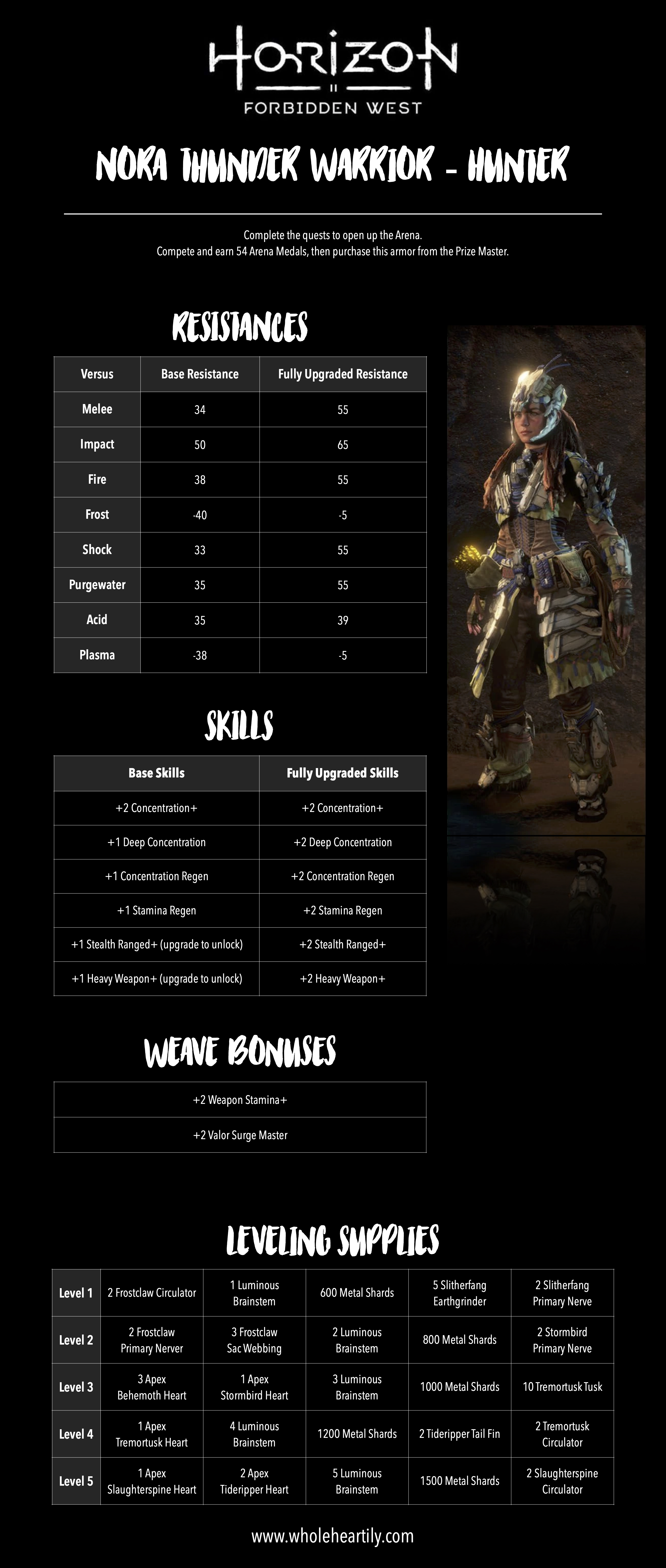
Horizon Forbidden West – Legendary Armor Statistic and Upgrade Guides Revisited

Carja Stalker Elite

If there’s one thing I do when I play a game (besides trying to relax and enjoy myself), it’s look up information. I get curious or stuck, and I find myself turning to the internet for answers. There are a lot of good guides out there that are super helpful, but what I don’t see are an abundance of simple and clean visual guides that lay out all the information in one place.

I’ve finished playing Horizon: Forbidden West and I have to say that Aloy has to be one of my favorite female protagonists in video games. She’s so clever, resilient, and that hair is a work of art! Since Horizon: Zero Dawn, I have been fascinated with this world Guerrilla has created and cannot wait for more!

I’ve created statistic and upgrade guides for all of Aloy’s Legendary Armor! These visual or infographic guides are separated by each armor. Each armor page details its resistances, skills, weave bonuses and supplies needed for leveling it up!

Please let me know if you would like me to work on a guide for the other collectibles within Horizon: Forbidden West or if there are any games you would like to see visual information or guides for in the future! I love helping people, discussing games and organizing information!

The First 60 Minutes of Horizon Forbidden West

Have you ever been undecided on what to play next? 

Should you buy that game? Should you install that game?

I’ve been there, and sometimes you just need to take a look at the graphics, hear the music, and learn a little about the plot to see if it resonates with you before taking the next step. I’m here to help! I am creating the first 30 to the first 60 minute videos of games; indie and mainstream, new and old!

This week let’s take a look at the first 60 minutes of Horizon Forbidden West…

Do you want to play the rest? 

How to Play – Memory Match

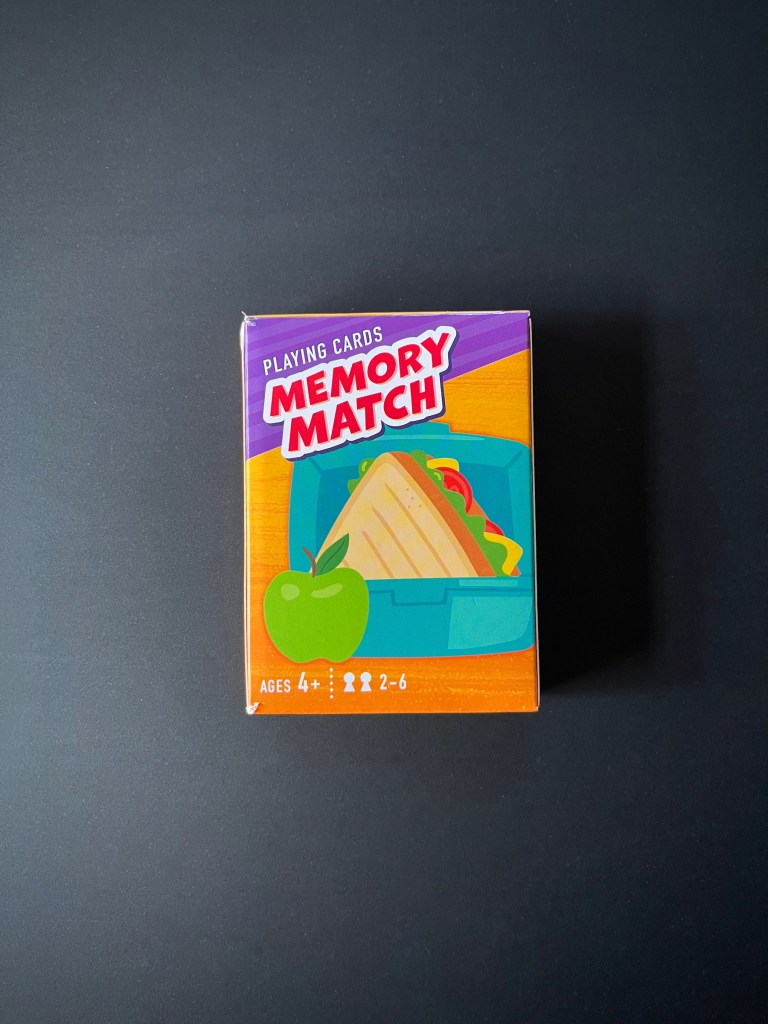
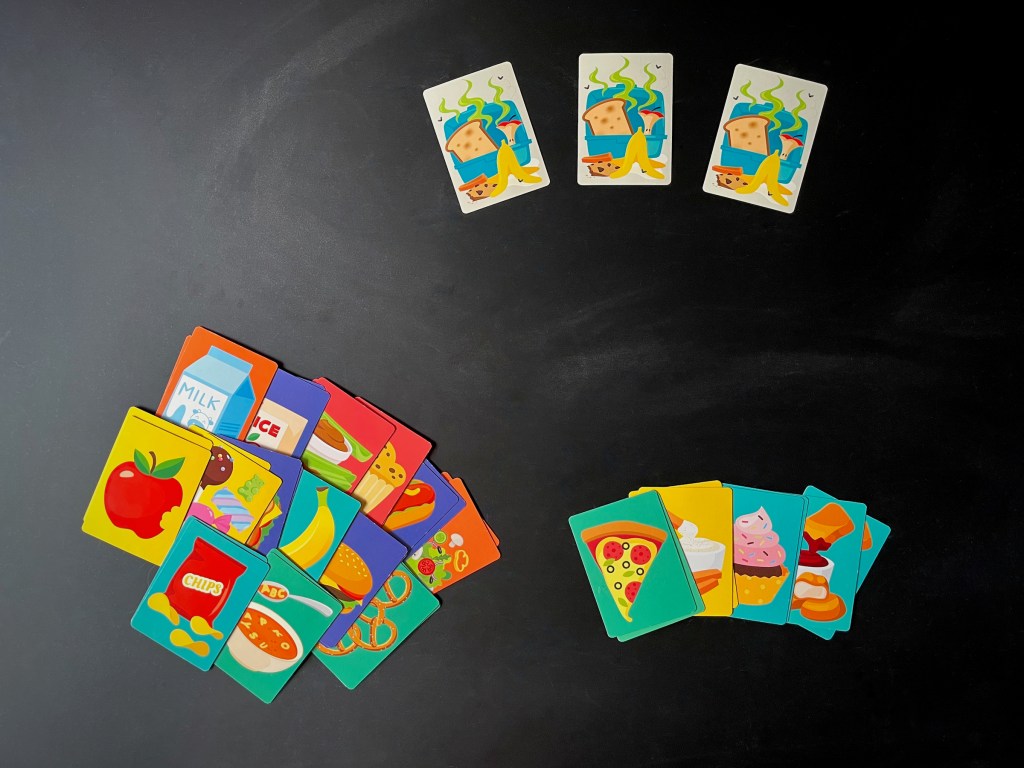
Part of the fun in raising Zoey is finding things that delight and educate her; I want to find fun, creative board games to play with her during our family game nights! This week we played Memory Match, the LotFancy version, for 2 to 6 players.

This specific memory match game is designed for kids and does a great job building visual recognition and, of course, memory recall. The graphics are adorable and gameplay is fun and engaging; especially when competition narrows in Zoey’s focus.

So let’s play!

IN THE BOX
  • 39 cards
INSTRUCTIONS
  1. For standard play, remove the 3 stinky lunchbox cards. For more of a challenge, leave them in the deck.
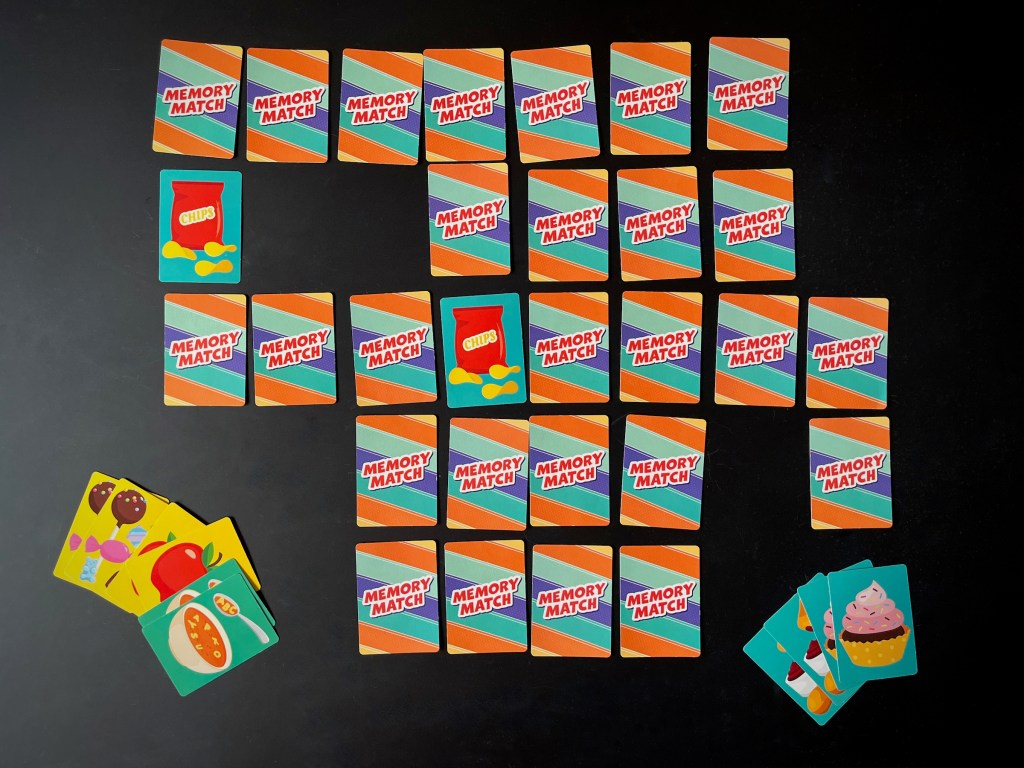
  2. Shuffle the deck and lay them face down so the cards are not overlapping. You may place them in a grid or randomly, it’s up to you.
  3. Players take turns, the youngest player goes first.
  4. On your turn, flip two cards face-up. Make sure that the other players can see the cards too.
  5. If the two cards match, you get to keep them! Place them in a score pile in front of you. As a reward, you get to go again and flip over two more cards.
  6. If you do not make a match, flip the cards back over so they are hidden, your turn is over.
  7. If you are playing with the stinky lunch box cards and you turn one over, your turn is over.
  8. Play continues to the left and the next player takes their turn.
  9. When all the cards have been picked up (minus the stinky lunchbox cards if in play), each player counts the pairs of food they’ve collected. The player with the most food wins! 

ENJOY!